
From the first site visit to the final distribution.
Deals, capital and what the funders see.
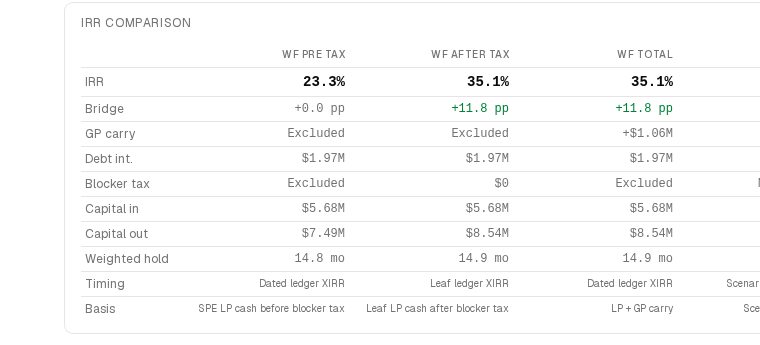
- Deals and pipeline
- Underwriting and what-if
- LP positions
- Capital calls and distributions
- Waterfall
- Debt
- Returns
- Investor reporting
Underwrite a site
Proforma, scenarios and returns against the same model the project later reports on.
Onboard an investor
Wizard to documents to signature to funded, without an email chain.
Report to LPs
Generate, review, approve, publish and notify — from the project rather than a spreadsheet copied out of it.
Model a sale or refinance
Settlement computed, proceeds traced through the waterfall to each partner.
Investor and lender rooms
Investors get positions, statements, transactions and onboarding, signed and funded without an email chain. Lenders get the draw package with its backup, in a room you control.
Set the budget
Cost codes, revisions and the estimate at completion, with every version kept.
Issue a draw
The package, the G702 and the backup, assembled from the budget rather than by hand.
Answer an RFI or change order
Drafted from the document it came in on, threaded with the recipient, linked to the budget line it moves.
Process payables
Read, coded and matched to a vendor before anyone opens the queue.
Close the month
Invoices in, classified, reconciled, posted, statements out.
Plan cash needs
What is owed, what is due and what is coming, per entity.
Manage the vendor registry
Identity, aliases, duplicates and merges, so one vendor is one vendor everywhere.